A well-placed QR code is the single most useful addition to event signage in 2026. One small printed square turns a paper invitation into an RSVP form, a stage backdrop into a slide download, a name badge into a one-tap check-in, and a thank-you screen into a feedback loop. It does all of that without an app, without an account, and without the friction that used to make event tech feel like a separate project.
This guide is for event organizers - wedding planners, conference hosts, school event coordinators, festival operators, corporate ops teams. It walks through where QR codes earn their keep across the full event lifecycle, ten specific use cases with real examples, the static-vs-dynamic decision, sizing rules, and the small details that determine whether the QR actually gets scanned or quietly ignored.
Why QR codes work so well at events
Events are the perfect home for QR codes for one structural reason: you have a captive, smartphone-ready audience, and you need to move them through a sequence of small actions (RSVP, check in, find a session, scan slides, leave feedback). Every typed URL in that sequence is a tax on attendance. Every QR replaces a URL with a single point-and-tap action.
The data backs this up. Post-pandemic adoption has stayed elevated - in 2026 most event-tech surveys put the share of attendees comfortable scanning a QR code in event contexts at 85-95%, depending on demographic. The "do I need an app?" question that used to slow QR adoption is essentially gone now that iOS and Android both decode codes natively from the camera viewfinder.
Three properties of QR codes make them especially valuable in event contexts:
- They're print-native. A QR survives the photocopier, the laminator, and the table-tent printer. Everything else - apps, BLE beacons, custom badges - depends on a working network or installed software at the moment of use.
- They scale to many attendees in parallel. 500 people scanning the same code at once doesn't degrade the experience for any of them, unlike, say, a registration desk with a single laptop.
- They cost almost nothing. A QR is generated free, printed on the materials you already had to print, and works without an additional service contract.
The event QR code lifecycle
The clearest way to think about event QR codes is by phase. The same code or different codes earn different jobs as the event moves from announcement to after-party. Here's the structure:
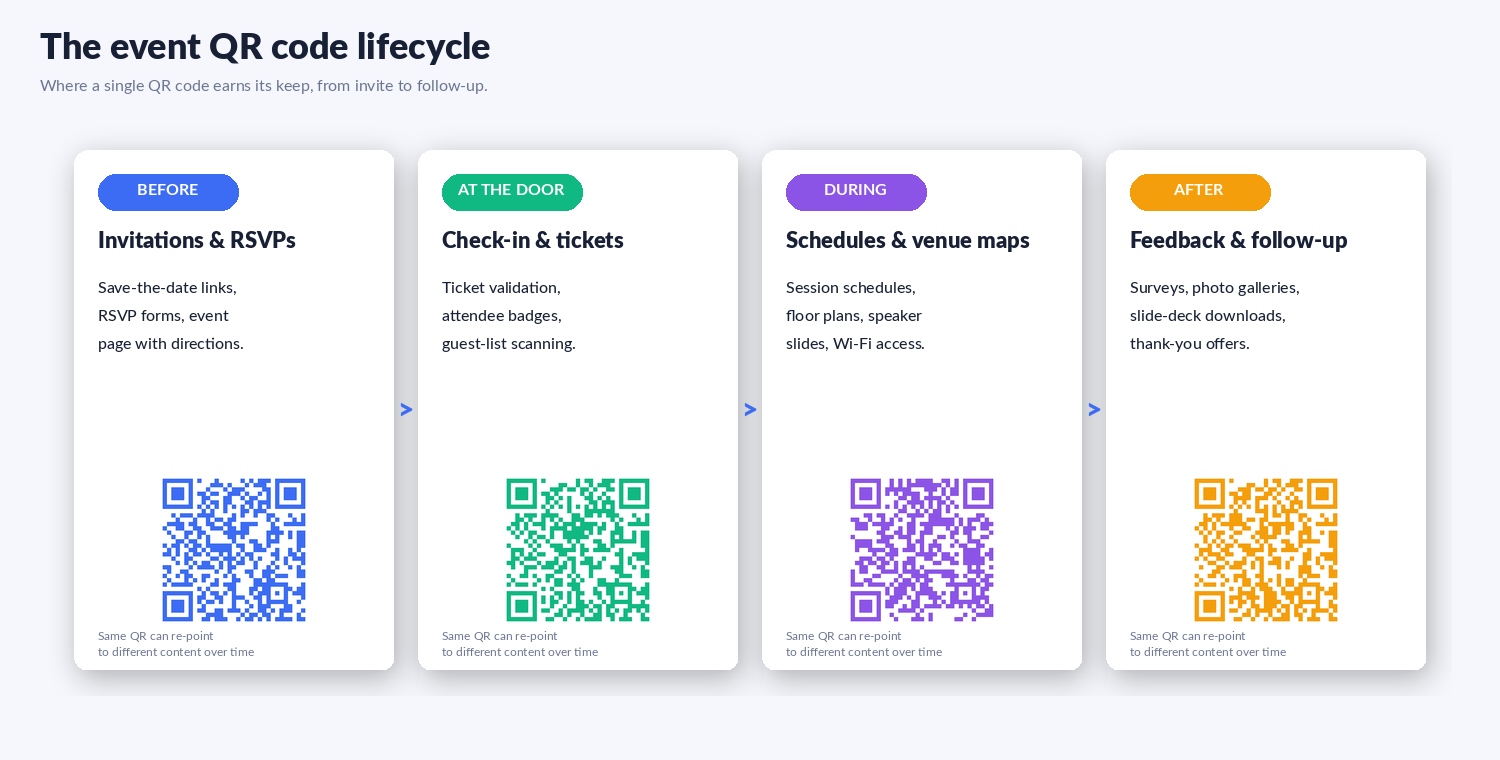
Before the event: invitations, RSVPs, and pre-event info
A QR on a save-the-date card or email signature should land guests on an RSVP form or event page in one tap. Pre-event uses where QR codes pay off:
- RSVP collection - QR points to a Google Form, Typeform, or your event platform's RSVP page.
- Directions and parking - QR points to a Google Maps pin (works for navigation directly).
- Add-to-calendar - QR points to a hosted .ics file that opens "Add to calendar" automatically.
- Dress code or pre-read materials - QR points to a single page with everything attendees need to know before they arrive.
At the door: check-in and ticket validation
This is the most operationally valuable use. A QR on a ticket (printed or in a mobile wallet) lets a single staff member at the door scan dozens of attendees per minute. Compared to manual name checking, throughput often doubles. For paid events, the ticketing platform (Eventbrite, Tito, Universe, RSVPify) issues unique per-ticket QR codes that get validated server-side, so re-using a screenshot is automatically blocked.
For unticketed events, a single QR on the door pointing to a "you're checked in" form works for guest-list-style validation: the form captures the name, optionally a confirmation code, and writes it to a spreadsheet you can monitor.
During the event: schedules, maps, and live engagement
Once attendees are inside, QR codes save them from typing URLs into a phone they're already holding. The most useful in-event placements:
- Sticker on the back of every chair - links to the schedule, agenda changes, and announcements.
- QR on each signpost - links to the venue map / floor plan.
- QR on every speaker's title slide - links to the talk's slides for download.
- Live Q&A or poll QR - routes the room to Slido, Mentimeter, or a Google Form for questions and votes.
- Sponsor stand QRs - each sponsor table has its own QR for lead capture or promo.
After the event: feedback, follow-up, and content
Most events under-use this phase. A QR on the closing slide and the thank-you email pointing to a feedback survey converts much better than a typed URL because the friction is gone. Other post-event uses:
- Photo gallery / video replay - one QR for the event album.
- Slide deck downloads - one QR per talk's recording or deck, on the closing slide.
- Thank-you offer - QR linked to a discount on next year's ticket or a sponsor's offer.
- Community channel - QR to a Discord, Slack, or LinkedIn group for ongoing networking.
10 proven QR code use cases for events
A grid view of the most common uses, with a sample QR for each. Pick the ones that match your event - each works as a separate static or dynamic code.
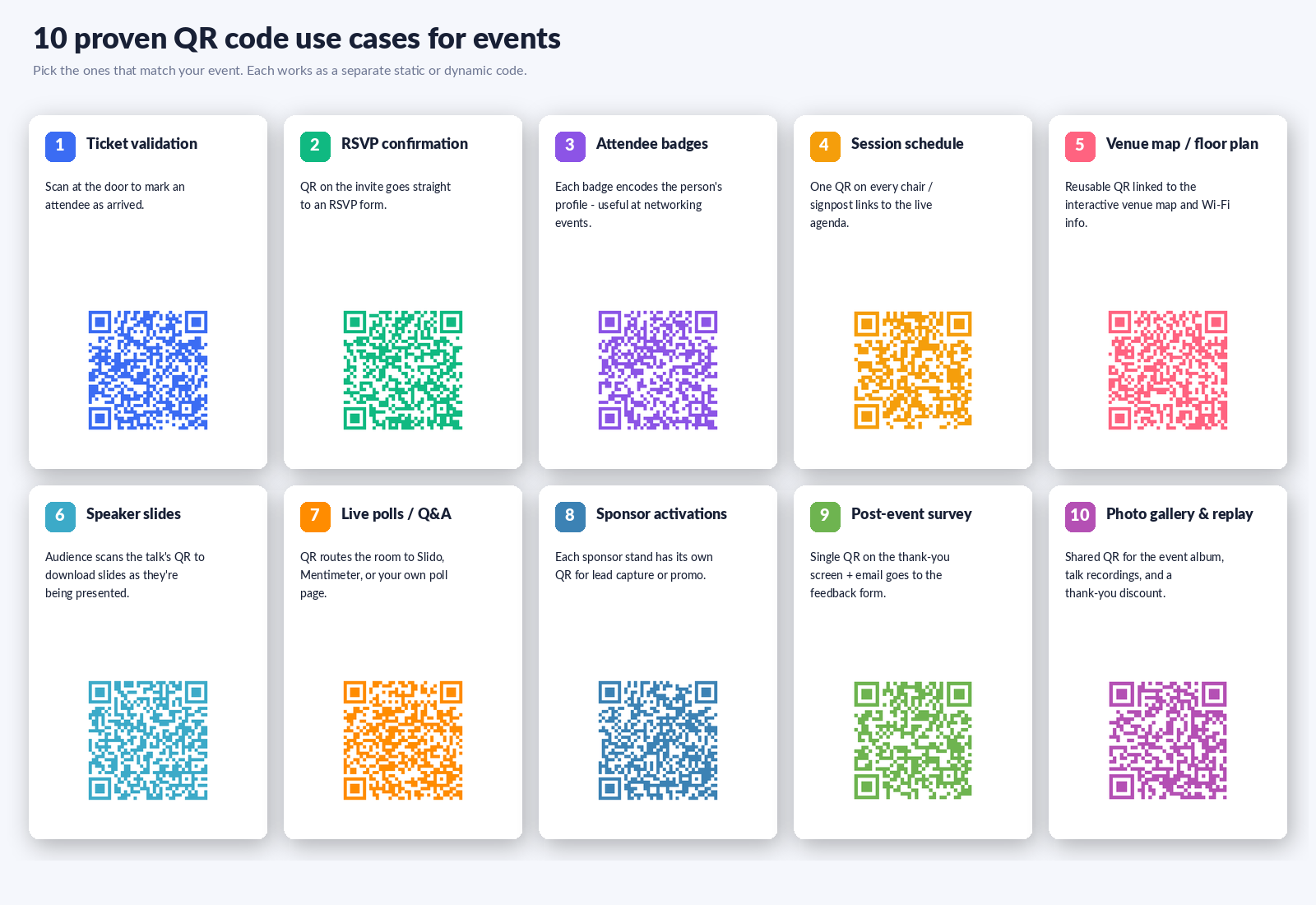
- Ticket validation. Scanned at the door to mark an attendee as arrived. Use your ticketing platform's per-ticket QR for paid events.
- RSVP confirmation. QR on the invite goes straight to an RSVP form. Reduces "did you get my reply?" emails.
- Attendee badges. Each badge encodes the person's profile - useful at networking events where attendees scan each other to exchange details.
- Session schedule. One QR on every chair / signpost links to the live agenda. Update the agenda once, every code reflects it.
- Venue map / floor plan. Reusable QR linked to the interactive venue map and Wi-Fi info. Especially useful for multi-floor or multi-room events.
- Speaker slides. Audience scans the talk's QR to download slides as they're being presented. Stops the "can you share the slides?" emails.
- Live polls / Q&A. QR routes the room to your poll page (Slido, Mentimeter, Google Forms). Drops barrier to participation enormously.
- Sponsor activations. Each sponsor stand has its own QR for lead capture, demo signup, or promo code. Track which sponsors drove the most scans.
- Post-event survey. Single QR on the thank-you screen + email goes to the feedback form. Open rates beat the "click here" email every time.
- Photo gallery & replay. Shared QR for the event album, talk recordings, and a thank-you discount on the next event.
Static or dynamic QR codes for events?
This decision determines whether you can reuse codes across years of events or have to reprint everything when something changes. Quick framing:
- Static encodes the destination URL directly in the QR pattern. Works forever, doesn't depend on any redirect service. Use static when the destination URL is permanent - a Google Maps pin, your main event page, a ticketing landing page that doesn't change.
- Dynamic encodes a short link that redirects to the destination. You can change the destination later without reprinting. Use dynamic for anything you'll re-point: a "today's schedule" QR you re-point each conference day, a "current sponsor offer" QR that rotates weekly, a reusable banner you want to deploy at multiple events over the year.
The cost difference is small but real: dynamic codes depend on the short-link service staying up and your link not expiring. On whew.cc specifically, anonymous dynamic codes expire after 2 weeks, free-account ones last 90 days, and paid-plan ones don't expire. For a single weekend event, the free tier covers everything. For a recurring annual event where you reuse the same banner, the paid plan pays for itself the first time you don't have to reprint signage.
For a deeper dive on the trade-offs, see our guide to dynamic QR codes and analytics.
Sizing and placement: what actually works
The single most common QR-code failure at events is "the code is too small to scan from where I'm standing." A useful rule of thumb:
QR size (cm) = scanning distance (meters) × 2
A guest holding a printed invitation at 30 cm needs a QR of at least ~1 cm. A check-in attendant scanning a phone screen at 50 cm needs ~1.5 cm. A QR on a stage backdrop seen from 10 m back needs ~20 cm square. Bigger is always safer than smaller - the few extra centimeters of paper or vinyl are free; the cost of an unscannable code is real.
Other placement rules from experience:
- Quiet zone: Leave a 2-3 mm clear margin around every QR. Most scanners need this to detect the code edges.
- Contrast: Dark code on light background. Many scanners are strict about polarity - the "cool inverted" design rarely scans on older phones.
- Eye level for standing scanners: Codes that have to be scanned by people standing should sit between hip and chest height, not on the floor or above eye level.
- Reachable from a phone at one extended arm: if attendees have to stretch awkwardly, the scan fails and they give up.
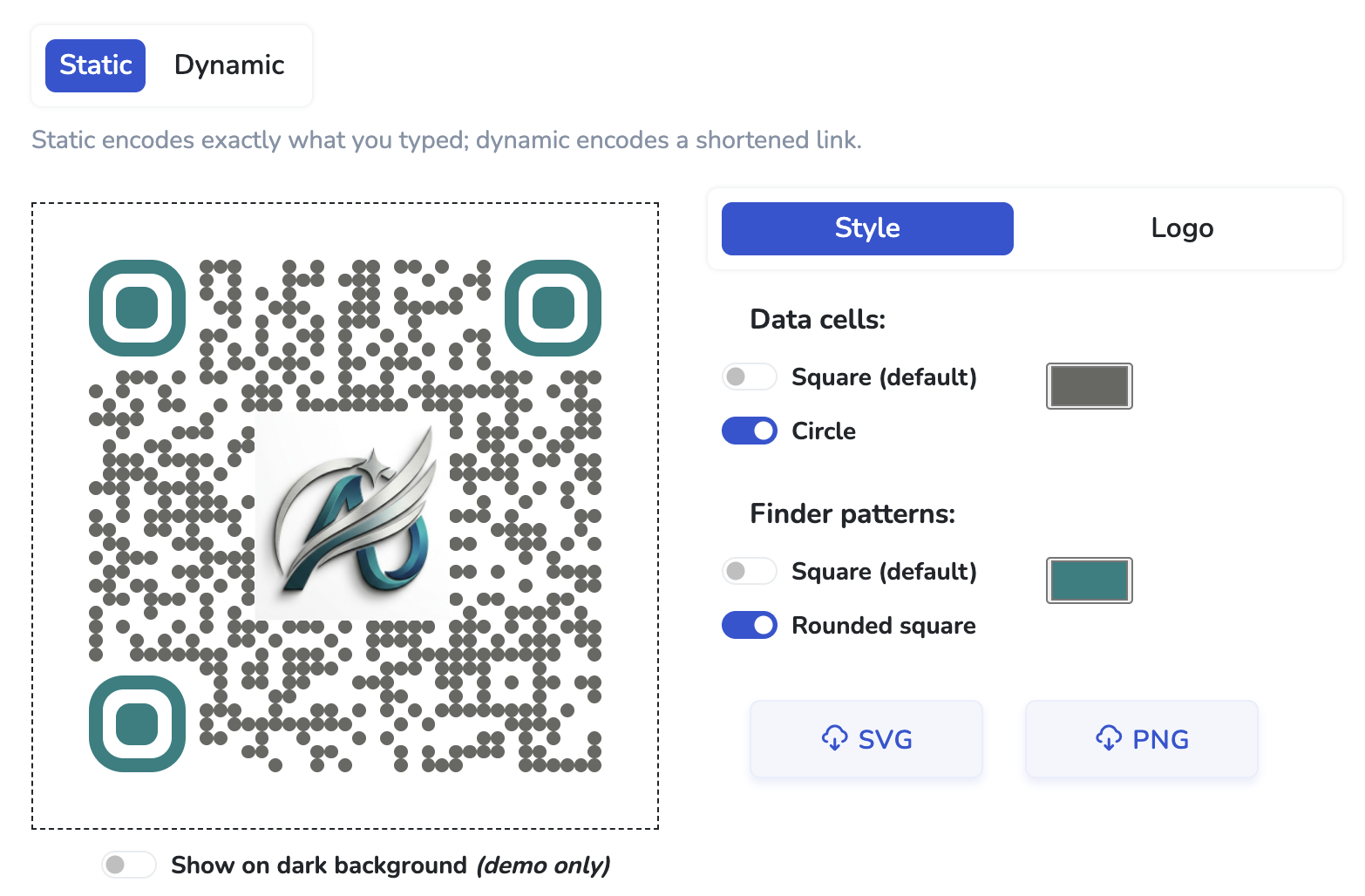
- Branded codes get scanned more often. A QR with your event logo in the middle reads as "this is from us" rather than "is this safe?" See how to add a logo to a QR code for the readability check that prevents over-branded codes from failing.
Most event QR needs are covered by free tools. The exceptions are scale (hundreds of unique per-attendee codes), heavy tracking (you want a dashboard of who scanned what), and reliability (you need a guarantee your dynamic codes won't expire mid-event).
- Free, single static code (the most common case): whew.cc, QR Code Monkey, QRStuff, GuestCam all work. Generate, download as SVG, print. See our free QR code generator comparison.
- Free dynamic code with scan analytics: whew.cc (with 2-week anonymous expiry / 90-day on a free account), T.LY, and a few others.
- Per-ticket unique codes: use a ticketing platform - Eventbrite, Tito, Universe, RSVPify all generate unique QRs per ticket and validate them on scan.
- Networking badge QRs that exchange contact info: HiHello, Popl, or any "digital business card" platform. They generate vCard-style QRs that import directly into attendees' contacts apps. See our guide to QR codes on business cards.
Common mistakes (and how to avoid them)
- Tiny QR codes on large signs. The most common failure. If your sign is 2 m tall, your QR should be at least 8-10 cm square. Use the size rule above.
- No label next to the code. A naked QR makes attendees hesitate ("what does this go to?"). One short line - "Scan for schedule," "Scan to check in" - removes the friction.
- Linking to a slow PDF. A 30 MB PDF takes 8 seconds to load on mobile. Use a real web page or compress aggressively.
- Sign-up wall after the scan. If your QR lands attendees on "create an account to see the schedule," they bounce. The page behind the QR should be open by default.
- Bad lighting on glossy stock. A QR on glossy paper / acrylic under bright event lighting can have glare. Matte stock scans reliably under every lighting condition.
- Skipping the scan test. Print one proof and scan it on three different phones (iOS, Android, an older phone if you have one) before mass-printing. Catches most problems for free.
- Static code for a content that will change. If you'll be updating the destination during the event (today's schedule, current promo), use dynamic from the start. Reprinting is more expensive than the paid tier.
Quick start: your first event QR in five minutes
- Pick the single most useful destination URL for your event - usually the schedule page or RSVP form.
- Open whew.cc, paste the URL, click Generate QR code.
- If the URL won't change, pick Static. If you'll re-point it later, pick Dynamic.
- (Optional) On the Logo tab, upload your event logo. Click Check Readability to confirm the code still scans.
- Click SVG to download. Drop the file into your signage / handout / invitation. Print one proof and scan-test on two different phones before mass-printing.